

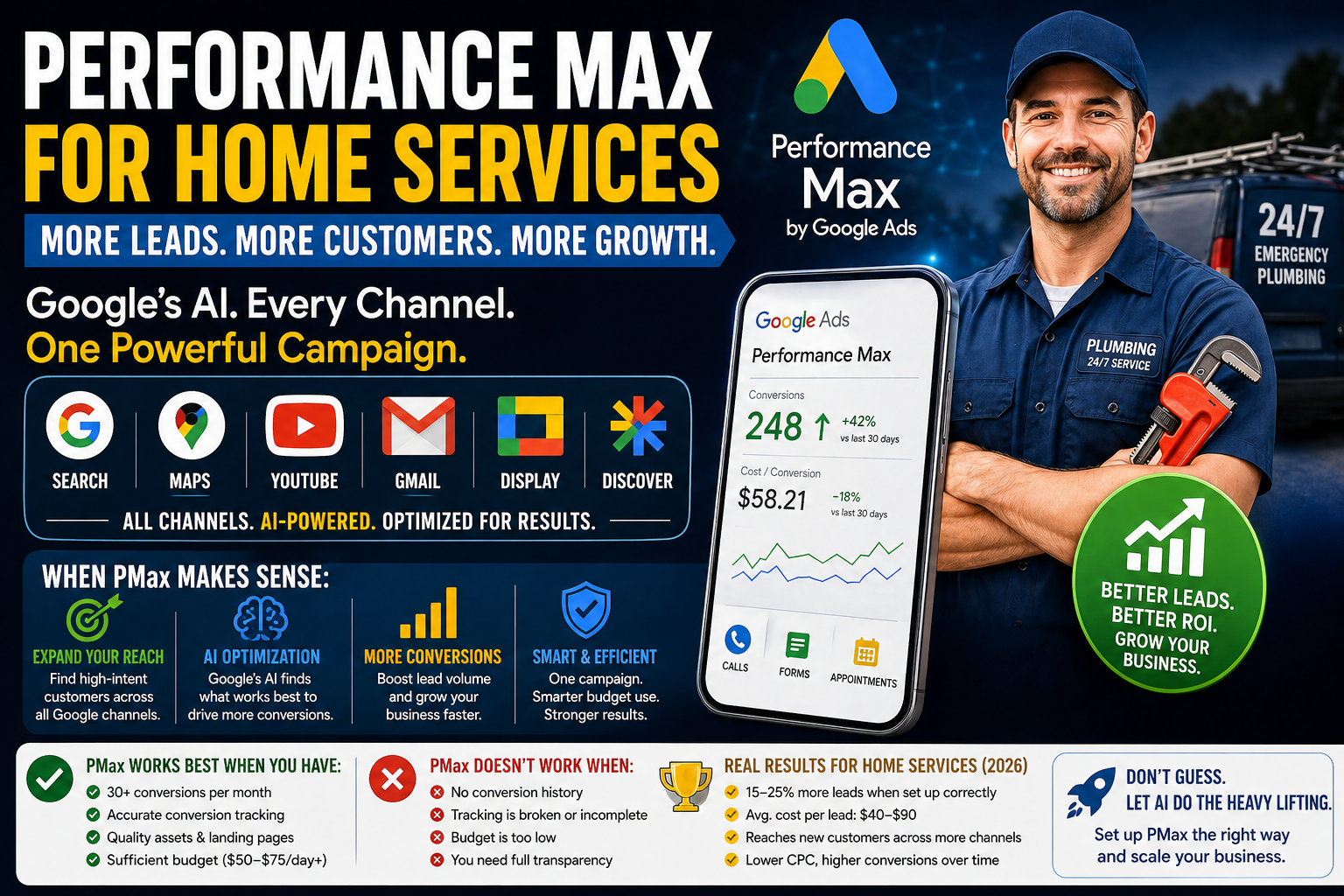
Performance Max is Google’s most powerful - and most polarizing - campaign type. It uses AI to run your ads across every Google platform simultaneously: Search, Maps, YouTube, Gmail, Display, and Discover. Google’s algorithm decides where, when, and to whom your ads appear, optimizing for whatever conversion goal you set.
For home service businesses, PMax can be a powerful addition to your advertising toolkit. But it can also be a budget-draining black box if you use it wrong.
The honest answer to “does PMax work for home services?” is: it depends entirely on when you implement it, how you set it up, and whether you have enough conversion data for Google’s algorithm to learn from.
This guide gives you the straight truth - when PMax makes sense, when it doesn’t, how to set it up correctly, and what kind of results home service businesses are actually seeing in 2026.
What Is Performance Max and How It Works
Performance Max (PMax) is a goal-based campaign type where you tell Google your objective (phone calls, form submissions, booked appointments) and provide creative assets (headlines, descriptions, images, videos, logos). Google’s AI then determines the best combination of assets, placements, and audiences to achieve that goal.
Key characteristics of PMax:
All channels, one campaign. Instead of creating separate campaigns for Search, Display, YouTube, and Gmail, PMax handles all of them in a single campaign. Google’s algorithm distributes your budget across channels based on where it predicts the best performance.
AI-driven optimization. You don’t manually set bids for keywords or choose ad placements. Google’s machine learning makes these decisions in real-time, auction by auction.
Asset-based, not keyword-based. Instead of providing keywords, you provide creative assets (headlines, descriptions, images, logos, videos) and audience signals (who your ideal customer is). Google uses these to construct ads and find the right audience.
Conversion-focused. PMax requires conversion tracking to be set up before you can run it. The algorithm needs conversion data to optimize - without it, PMax can’t function effectively.
PMax vs Traditional Search Campaigns
Understanding the difference helps you decide where PMax fits in your strategy:
Search campaigns give you control. You choose keywords, write specific ad copy for each ad group, set bids by keyword, and see exactly which search terms trigger your ads. You know what’s working and why.
PMax gives up control for reach. You can’t see exactly which search terms trigger your ads (limited search term reporting), you can’t set keyword-level bids, and you can’t control which channels receive what share of budget. But PMax can reach audiences across channels that search campaigns can’t touch.
For home services, search campaigns should be your foundation. They give you the control and transparency you need to target high-intent keywords like “emergency plumber near me.” PMax is a supplement that extends your reach once your core search campaigns are established and profitable.
When PMax Makes Sense for Home Services
PMax works well when these conditions are met:
You have established search campaigns with 30+ conversions per month. PMax needs conversion data to optimize. If your account doesn’t have enough conversion history, Google’s algorithm has nothing to learn from. It will spend your budget inefficiently while it figures things out.
Your conversion tracking is accurate and comprehensive. PMax optimizes for conversions. If your tracking is incomplete (not tracking phone calls, only tracking form submissions), PMax will optimize for the wrong things.
You have quality creative assets. PMax runs visual ads on Display, YouTube, and Gmail. If you only have text headlines (no images, no videos), your PMax ads will look generic and underperform.
You want to expand beyond search. If you’ve maxed out your search campaign potential and want to reach new customers through Display, YouTube, and Gmail, PMax is an efficient way to do that.
You have a sufficient budget. PMax needs enough budget to test across multiple channels and audiences. A minimum of $50-$75/day is recommended for home service PMax campaigns.
When PMax Doesn’t Work
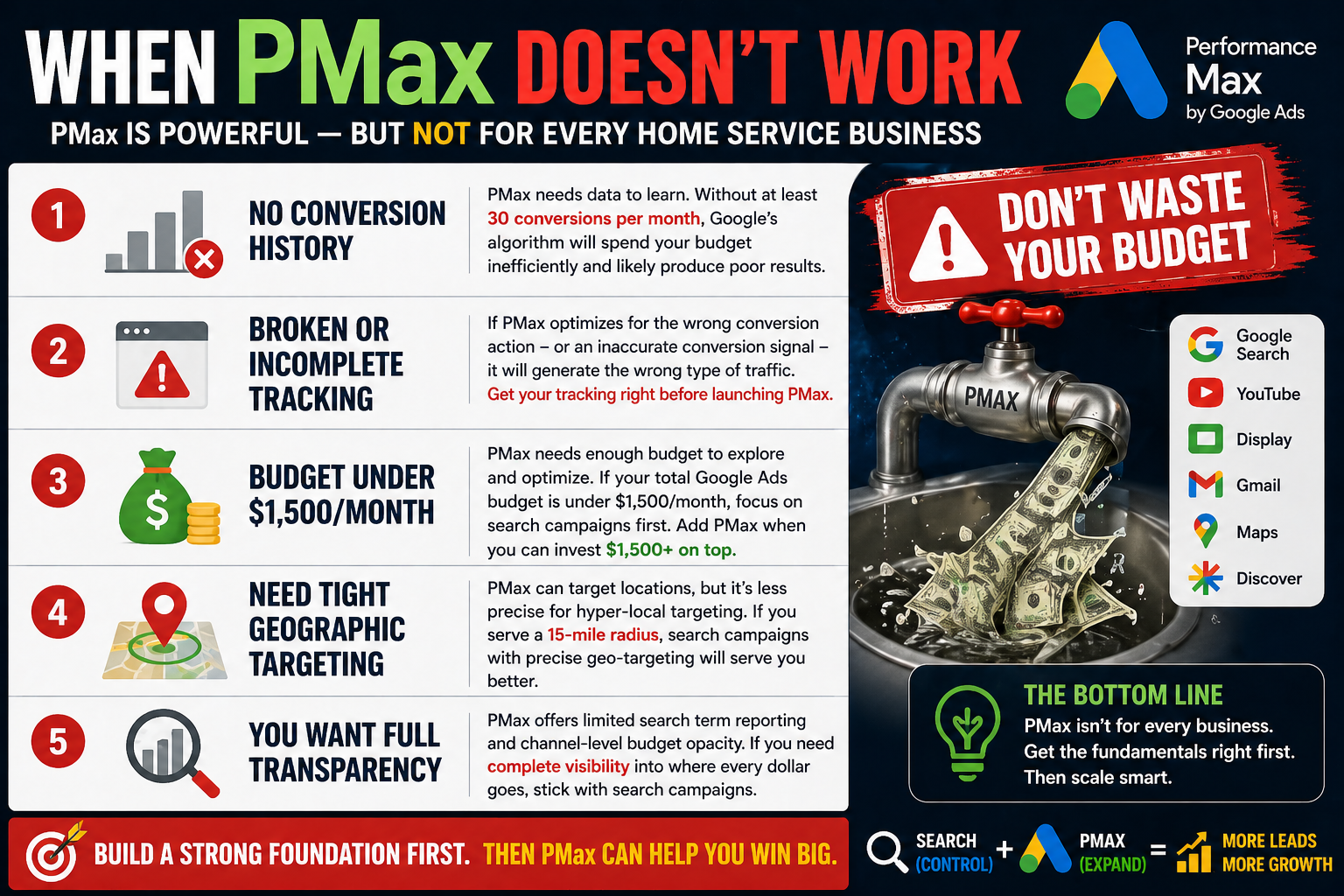
You’re a new advertiser with no conversion history. Google’s algorithm needs data to learn. Without at least 30 conversions per month from existing campaigns, PMax will spend money inefficiently and likely produce poor results.
Your conversion tracking is broken or incomplete. If PMax optimizes for the wrong conversion action - or an inaccurate conversion signal - it will generate the wrong type of traffic. Get your tracking right before launching PMax.
Your budget is under $1,500/month total. PMax needs enough budget to explore and optimize. If your entire Google Ads budget is $1,500/month, spend it all on search campaigns where you have more control. Add PMax when you can allocate $1,500+/month to it on top of your search budget.
You need tight geographic targeting. PMax can target locations, but it’s less precise than search campaigns for hyper-local targeting. If you’re a single-truck plumber serving a 15-mile radius, search campaigns with precise geo-targeting may serve you better.
You want full transparency. PMax’s limited search term reporting and channel-level budget opacity frustrate advertisers who want to know exactly where every dollar goes. If you need complete visibility into your ad spend, stick with search campaigns.
Setting Up PMax for a Home Service Business
If you’ve met the prerequisites above, here’s how to set up PMax correctly:
Step 1: Verify conversion tracking. Before touching PMax, ensure you’re tracking phone calls (60+ second duration) and form submissions as primary conversions. Both should be feeding into Google Ads.
Step 2: Create a new PMax campaign. In Google Ads, click + New Campaign → Choose your goal (Leads) → Select Performance Max.
Step 3: Set your budget. Start with $50-$75/day. This gives the algorithm enough budget to learn across multiple channels.
Step 4: Set your bid strategy. “Maximize Conversions” is the safest starting point. Once you have 30+ conversions in the PMax campaign, switch to “Target CPA” using your search campaign’s cost-per-lead as a benchmark.
Step 5: Set your location targeting. Target your service area. Be as precise as possible - PMax will find audiences within this area.
Step 6: Create your asset group(s). This is the most important step. See the next section for details.
Step 7: Add audience signals. See the audience section below.
Step 8: Launch and monitor. Give PMax at least 4-6 weeks of learning time before making significant changes.
Asset Group Strategy
Asset groups are PMax’s equivalent of ad groups. Each asset group contains a set of creative assets that Google combines to create ads.
For home service businesses, create separate asset groups for each major service category:
- Asset Group 1: Emergency Plumbing (or whatever your emergency service is)
- Asset Group 2: Water Heater Services
- Asset Group 3: Drain Cleaning
- Asset Group 4: General Plumbing
Each asset group should have:
Final URL: Your service-specific landing page (not your homepage). PMax can also use “Final URL expansion” to send traffic to other relevant pages on your site - consider turning this off initially to maintain control.
Headlines (up to 15): Mix of service-specific, trust-building, and action-oriented headlines. Include your city name, response time, and key differentiators.
Long headlines (up to 5): Longer versions that work in Display and YouTube ad formats.
Descriptions (up to 5): Compelling descriptions that highlight your services, trust signals, and CTAs.
Images (up to 20): Photos of your team, vehicles, completed work, before-and-afters. Minimum 3 images: 1 landscape (1200×628), 1 square (1200×1200), and 1 portrait (960×1200). More variety gives Google more to work with.
Logo: Your business logo in both square and landscape formats.
Videos (optional but recommended): If you have video content (even a 30-second smartphone video of your team at work), upload it. If you don’t provide video, Google may auto-generate one from your images - these auto-generated videos are often low quality, so providing your own is preferred.
Audience Signals Configuration
Audience signals tell Google’s AI who your ideal customer is. They’re suggestions, not hard targeting - Google will explore beyond these audiences but uses them as a starting point.
Custom segments: Create segments based on search terms your customers use. For a plumber, this might include “emergency plumber,” “drain cleaning service,” “water heater repair,” and “plumber near me.”
Your data: Upload your customer email list or phone number list. Google will find similar audiences. Even a list of 100 past customers gives the algorithm useful signals.
Demographics: Set to match your typical customer. For residential plumbing, this is usually homeowners aged 30-65.
Interest categories: Select relevant interest categories like “Home & Garden,” “Home Improvement,” and “Home Services.”
Reading PMax Reports (The Black Box Problem)
The biggest frustration with PMax is limited reporting transparency. Here’s what you can and can’t see:
What you CAN see: Total conversions, cost per conversion, conversion value, impression share, and performance by asset group. You can also see which individual assets (headlines, images) are performing “Best,” “Good,” or “Low.”
What you CAN’T see clearly: Which specific search terms triggered your ads, how budget is distributed across channels (Search vs Display vs YouTube vs Gmail), and detailed auction-level data.
Workarounds: - Check the “Insights” tab for search term themes (not individual terms, but topic categories) - Use the “Where Ads Showed” report for channel-level impressions - Monitor your search campaigns’ impression share - if it drops after launching PMax, PMax may be cannibalizing search traffic - Create custom segments in Google Analytics to see PMax traffic behavior on your site
Negative Keywords in PMax (Limited Options)
Historically, PMax didn’t support negative keywords. As of 2025-2026, Google has added limited negative keyword support at the account level.
Account-level negatives now apply to PMax. Add your universal negative keywords (jobs, salary, DIY, etc.) at the account level, and they’ll block those terms across PMax campaigns too.
Brand exclusions are available. You can exclude your own brand name from PMax to prevent it from cannibalizing your branded search campaigns.
Campaign-level negatives are still limited. You can request campaign-level negatives through Google Ads support, but it’s not a self-service feature for most advertisers as of early 2026.
Real Results: PMax Performance Data for Home Services
Based on industry data and case studies from home service businesses running PMax in 2025-2026:
When PMax works well: Businesses with 50+ monthly conversions from search campaigns that add PMax typically see a 15-25% increase in total lead volume at a comparable or slightly higher cost per lead. The additional leads come from Display, YouTube, and Gmail - audiences that search campaigns don’t reach.
When PMax underperforms: Businesses with fewer than 30 monthly conversions that launch PMax often see higher cost per lead (sometimes 2-3x their search campaign CPL) and lower lead quality. The algorithm doesn’t have enough data to optimize effectively.
Average PMax cost per lead for home services: $40-$90, compared to $25-$60 for search campaigns. The higher CPL is offset by reaching new audiences, but it means PMax typically delivers a lower ROI than optimized search campaigns.
Lead quality comparison: PMax leads from Search placements tend to match search campaign quality. Leads from Display and YouTube placements tend to be lower quality (earlier in the decision process, less immediate intent).
Best Practices for Home Service PMax Campaigns
1. Don’t launch PMax first. Build profitable search campaigns before adding PMax. Search campaigns are your foundation; PMax is the expansion.
2. Start with a modest budget. Allocate 20-25% of your total Google Ads budget to PMax. Scale up only if performance justifies it.
3. Use service-specific asset groups. Don’t lump all services into one asset group. Create separate groups for emergency services, installations, and maintenance.
4. Provide high-quality images. Real photos of your team and work outperform stock images significantly. Include at least 5-10 unique images per asset group.
5. Monitor for search cannibalization. If your search campaigns’ impression share drops after launching PMax, PMax may be taking search traffic that your search campaigns would have captured more efficiently. Adjust accordingly.
6. Give it time. PMax needs 4-6 weeks to exit the learning phase. Don’t make major changes during this period.
7. Review asset performance. Check which assets Google rates as “Best” vs “Low.” Replace underperforming assets with new versions monthly.
8. Use account-level negatives. Block irrelevant terms (jobs, salary, DIY) at the account level so they apply across PMax.
9. Track lead quality, not just volume. PMax may generate leads that look good on paper (calls, forms) but are lower quality than search leads. Listen to call recordings and track which PMax leads become actual customers.
10. Don’t let PMax become your only campaign. Always maintain standalone search campaigns for your highest-priority keywords. PMax is a complement, not a replacement.
Performance Max is a powerful tool when used correctly, but it’s not magic. For home service businesses, the winning formula remains: build profitable search campaigns first, layer in LSAs for trust and visibility, then add PMax when you have the data and budget to support it.
