

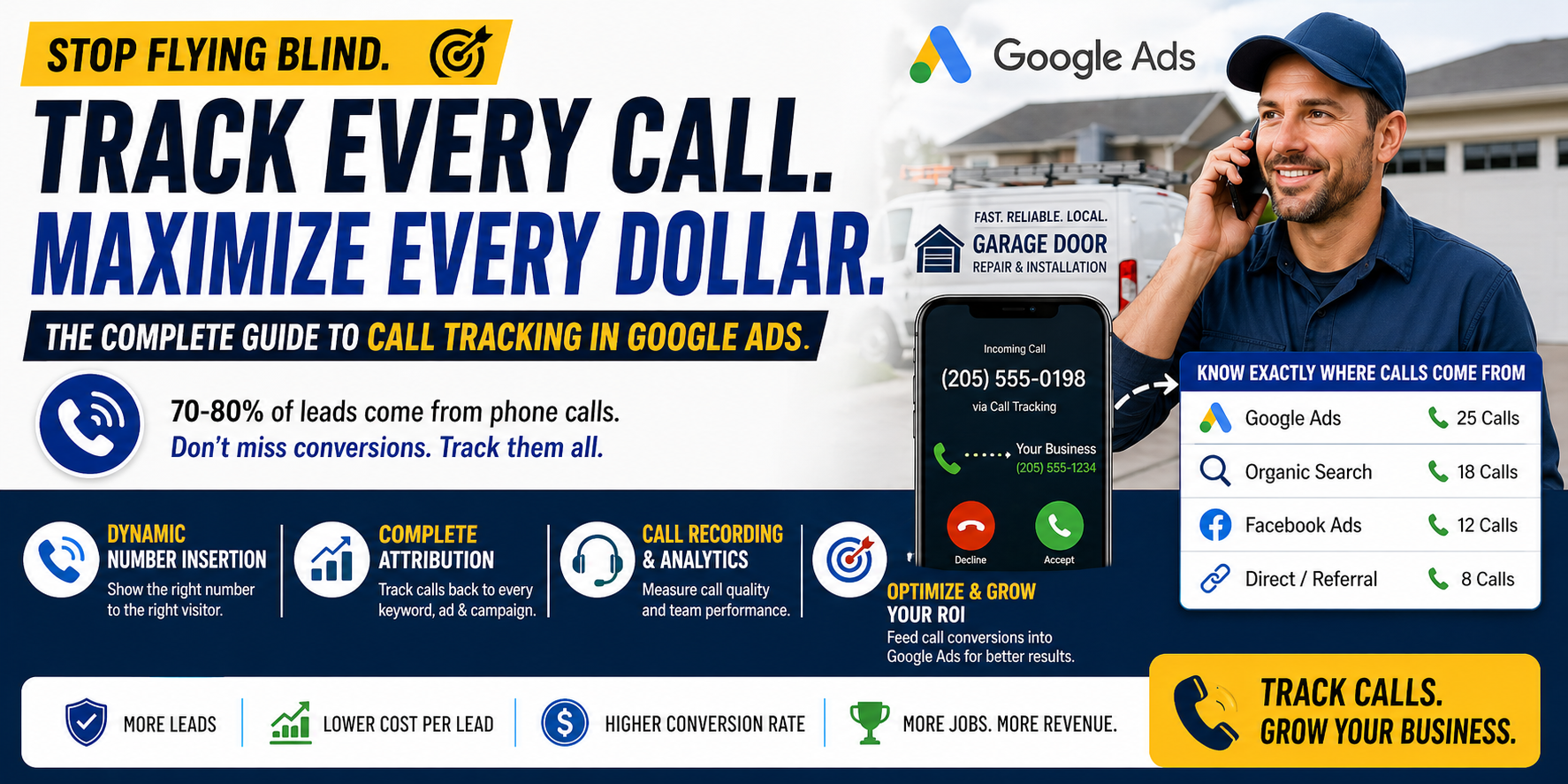
If you’re running Google Ads for a home service business and not tracking phone calls, you’re flying blind. For plumbers, electricians, HVAC companies, and most other home service businesses, 70-80% of conversions come through phone calls - not web forms, not online bookings, not emails.
That means if you’re only tracking form submissions in Google Ads, you’re seeing less than a quarter of your actual results. You’re making budget decisions, keyword decisions, and bidding decisions based on incomplete data. Incomplete data leads to bad decisions.
Call tracking solves this by connecting every phone call back to the specific ad, keyword, and campaign that generated it. This guide walks you through everything from basic Google Ads call tracking to advanced third-party solutions with CRM integration.
Why Call Tracking Is Non-Negotiable for Home Services
Here’s the scenario without call tracking: You spend $3,000/month on Google Ads. Your Google Ads dashboard shows 15 form submissions. You think your cost per lead is $200 - terrible. You consider pausing your campaigns.
Here’s the reality with call tracking: Those same campaigns actually generated 15 form submissions AND 55 phone calls. Your true cost per lead is $43 - excellent. The campaigns are highly profitable, but you couldn’t see it.
This isn’t hypothetical. It happens constantly. Home service businesses routinely undercount their leads by 60-80% because they’re not tracking calls. And when you can’t see the full picture, every optimization decision you make is potentially wrong.
Call tracking also lets you:
Attribute calls to specific keywords. Discover that “emergency plumber near me” generates 20 calls per month while “plumber” generates 2. Now you know where to allocate budget.
Measure call quality. Not every call is a real lead. Some are wrong numbers, spam, or existing customers. Call tracking with recording lets you assess lead quality, not just quantity.
Calculate true ROI. When you know which keywords generate calls, which calls become booked jobs, and what those jobs are worth, you can calculate exact ROI by keyword and campaign.
Optimize bidding. Feed call conversion data back into Google Ads so the algorithm can optimize bids for the keywords and audiences that actually generate phone calls.
How Call Tracking Works: Dynamic Number Insertion
The core technology behind call tracking is Dynamic Number Insertion (DNI). Here’s how it works:
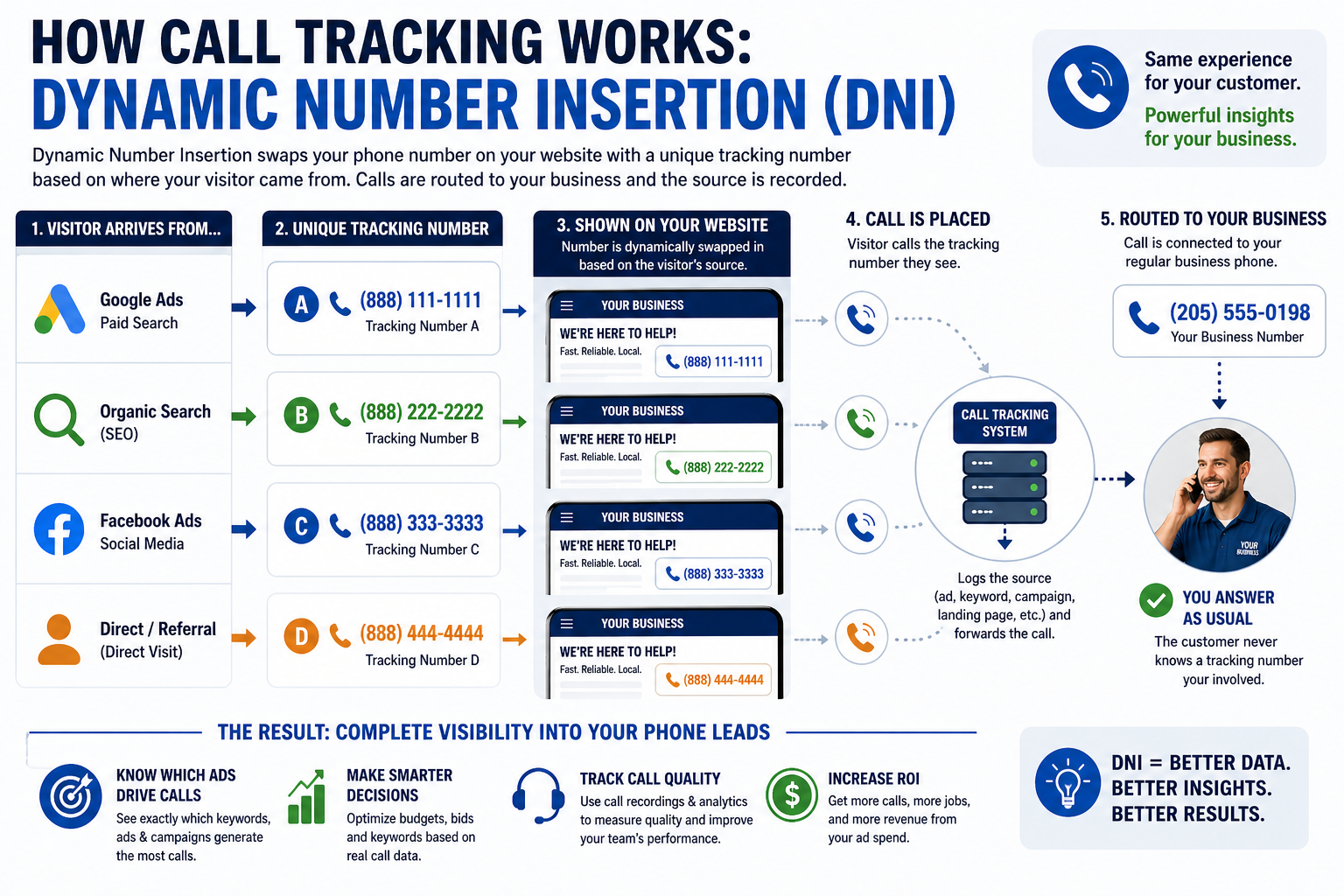
A visitor arrives at your website from a Google Ad. Instead of seeing your regular phone number, they see a unique tracking number that’s dynamically swapped in. When they call that number, the call is routed to your actual business phone - the customer experience is identical. But in the background, the tracking system records which ad, keyword, campaign, and landing page the visitor came from.
Each visitor source gets its own tracking number:
- Visitor from Google Ads sees tracking number A
- Visitor from organic search sees tracking number B
- Visitor from Facebook sees tracking number C
- Direct visitor sees tracking number D
When any of these numbers ring, the call tracking system logs the source and forwards the call to your regular line. You answer the phone exactly as you always do. The customer never knows a tracking number was involved.
Google Ads Native Call Tracking Setup
Google offers built-in call tracking through two features: Call Reporting and Call Conversions.
Setting Up Call Reporting
Step 1: In Google Ads, go to Admin → Account Settings → Call Reporting → Turn On.
Step 2: Google will assign a Google forwarding number to your call extensions. When someone calls from a search ad, the call routes through Google’s number to your business.
Step 3: Call data appears in your campaign reports, showing call duration, caller area code, and whether the call was answered.
Setting Up Call Conversions
Step 1: Go to Goals → Conversions → New Conversion Action → Phone Calls.
Step 2: Choose “Calls from ads using call extensions or call-only ads.”
Step 3: Set your conversion parameters. For home services, we recommend counting a call as a conversion when it lasts at least 60 seconds. This filters out wrong numbers and very short calls.
Step 4: Name your conversion action (e.g., “Phone Call - 60+ seconds”) and save.
Limitations of Google’s native tracking: It only tracks calls that originate from clicking a call extension in the ad itself. It doesn’t track calls from your website after someone clicks an ad and then dials your number from the landing page. For that, you need a third-party solution.
Third-Party Call Tracking Solutions
For comprehensive call tracking, most home service businesses use a dedicated call tracking platform. Here are the leading options:
CallRail
Best for: Small to mid-size home service businesses.
Starting price: Around $45/month for basic tracking.
Key features: Dynamic number insertion, call recording, keyword-level attribution, Google Ads integration, form tracking, basic AI call scoring.
Why home service businesses like it: Easy setup, affordable pricing, and good Google Ads integration. Their keyword-level tracking shows exactly which search terms generate calls.
CallTrackingMetrics
Best for: Businesses that need detailed call analytics and routing.
Starting price: Around $39/month.
Key features: DNI, call recording, call routing, Google Ads integration, conversation intelligence, multi-channel attribution.
Why it stands out: More advanced routing options, useful for businesses with multiple locations or departments.
WhatConverts
Best for: Agencies managing multiple home service clients.
Starting price: Around $30/month.
Key features: Call tracking, form tracking, chat tracking, lead management dashboard, multi-client reporting.
Why agencies love it: Unified dashboard for tracking calls, forms, and chats across multiple client accounts.
All three integrate directly with Google Ads, pushing call conversion data back into your campaigns for bid optimization.
Setting Up Dynamic Number Insertion
Once you’ve chosen a call tracking platform, here’s how to set up DNI on your website:
Step 1: Get your tracking numbers. Your call tracking provider will assign a pool of phone numbers. You’ll need at least 4-6 numbers to track different traffic sources without running out during peak times.
Step 2: Install the tracking script. Add the JavaScript snippet provided by your call tracking platform to your website’s header (or install their WordPress plugin). This script handles the number swapping.
Step 3: Configure number pools. Assign numbers to specific sources: Google Ads paid traffic, organic search traffic, direct traffic, and referral traffic. For Google Ads, you can get keyword-level tracking by assigning a dedicated pool of numbers to paid search traffic.
Step 4: Set your swap target. Tell the script which phone number on your website to replace. This is typically your main business number.
Step 5: Test. Visit your website from different sources and verify the correct tracking number appears. Call each tracking number and confirm it rings through to your business.
Step 6: Connect to Google Ads. In your call tracking platform, connect your Google Ads account. This enables the platform to push call conversion data back into Google Ads at the keyword level.
Connecting Call Data to Google Ads Conversions
This is the most important step - it’s what allows Google’s bidding algorithm to optimize for phone calls.
In your call tracking platform: Find the Google Ads integration settings. You’ll need to authorize the connection using your Google Ads login.
Configure which calls to send as conversions: Set the minimum call duration (60 seconds recommended), and optionally filter by call quality score if your platform offers AI-based scoring.
In Google Ads: Verify the conversion action appears under Goals → Conversions. You should see a conversion action named something like “CallRail Phone Call” or similar.
Set as primary conversion: Make sure the call conversion action is set as “Primary” so it’s used for bidding optimization. If you also track form submissions, both can be primary conversions.
Once connected, Google Ads will show call conversions alongside form conversions in your campaign reports. More importantly, Google’s smart bidding strategies will optimize for both - spending more on keywords that generate calls and forms, and less on keywords that don’t.
Call Duration Thresholds
Not every phone call is a real lead. Setting the right duration threshold is crucial for accurate conversion data.
60 seconds is the standard threshold for home services. A genuine service inquiry - describing the problem, confirming the service area, discussing availability - almost always lasts at least a minute.
Calls under 30 seconds are almost always wrong numbers, hang-ups, or spam. These should never count as conversions.
Calls between 30-60 seconds are a gray area. Some are genuine quick inquiries (“What’s your rate for a drain cleaning?”), while others are dead ends. If you’re unsure, stick with 60 seconds as your threshold.
For high-ticket services (HVAC installations, major plumbing projects), consider a longer threshold of 90-120 seconds, since meaningful consultations for expensive services tend to last longer.
CRM Integration for End-to-End Attribution
Call tracking tells you which keywords generate calls. CRM integration tells you which calls become paying customers - and how much revenue they generate.
Connecting your call tracking to your CRM (ServiceTitan, Housecall Pro, Jobber, or even a simple spreadsheet) creates a complete picture: Keyword → Click → Phone Call → Booked Job → Revenue.
With this data, you can calculate the exact ROI of every keyword and campaign. You might discover that “water heater installation” keywords cost more per click but generate 3x more revenue per lead than “drain cleaning” keywords. Without CRM integration, you’d never know.
How to set it up: Most call tracking platforms offer native integrations with popular home service CRMs. Check your call tracking platform’s integration marketplace for your CRM. If a native integration doesn’t exist, you can typically connect them through Zapier.
Tracking Form Submissions + Calls Together
A complete conversion tracking setup captures both phone calls and form submissions from the same Google Ads campaigns.
Form tracking in Google Ads: Install the Google Ads conversion tag on your form’s thank-you page, or use Google Tag Manager to fire a conversion event when the form is submitted.
Unified reporting: When both call conversions and form conversions are set as primary conversions in Google Ads, your reports show total leads (calls + forms) for each campaign and keyword.
Why this matters: Some keywords generate more calls while others generate more form submissions. Knowing the full picture prevents you from pausing a keyword that looks underperforming on forms but is actually driving significant call volume.
Reading Call Reports and Optimizing
Your call tracking platform provides reports that drive optimization decisions:
Call volume by keyword: Identify your top-performing keywords by call volume. Increase bids on keywords that generate the most calls.
Call duration distribution: If many calls from a specific keyword are under 30 seconds, the keyword may be attracting the wrong audience. Review the search terms and add negatives.
Time-of-day analysis: Discover when your calls peak. Increase bids during peak call hours and decrease during low-call hours.
Geographic analysis: See which areas generate the most calls. Increase bids in high-performing zip codes.
Call recording review: Listen to a sample of calls weekly to assess lead quality, identify sales training opportunities, and ensure your team is booking appointments effectively.
Common Call Tracking Mistakes
Mistake 1: Not enough tracking numbers. If your number pool is too small, multiple visitors may see the same number simultaneously, and you lose keyword-level attribution. Use at least 4-6 numbers per traffic source.
Mistake 2: Setting the duration threshold too low. At 30 seconds, you’ll count many non-leads as conversions, inflating your numbers and misleading Google’s bidding algorithm.
Mistake 3: Not connecting to Google Ads. Call tracking alone gives you reports. Connecting to Google Ads feeds conversion data into the bidding algorithm, which dramatically improves campaign performance.
Mistake 4: Forgetting to test regularly. DNI scripts can break during website updates. Test monthly by visiting your site from different sources and verifying the correct numbers appear.
Mistake 5: Ignoring call quality. Volume isn’t everything. Review call recordings periodically to ensure the calls you’re counting as conversions are actually qualified leads.
Privacy and Compliance Considerations
Call tracking involves recording phone conversations and collecting caller information. Stay compliant:
Call recording disclosure: Many states require one-party or two-party consent for call recording. Most call tracking platforms offer automated disclosure messages (“This call may be recorded for quality assurance”). Enable this feature and confirm compliance with your state’s laws.
Data storage: Call recordings contain personal information. Your call tracking provider should comply with data protection standards. Review their privacy policy and data retention settings.
TCPA compliance: If you use call data for follow-up marketing (calling back leads who didn’t book), ensure compliance with the Telephone Consumer Protection Act.
Google Ads policies: Google’s call tracking complies with their advertising policies. Third-party solutions should also be reviewed for compliance.
Cost of Call Tracking Solutions
Google’s native call tracking: Free (included with Google Ads). Limited to calls from ad click-to-call only.
Third-party solutions: $30-$100/month for basic plans (suitable for most single-location home service businesses). $100-$300/month for advanced plans with AI scoring, CRM integration, and multi-location support. Additional cost per tracking number ($2-$5/month each) and per-minute call charges ($0.03-$0.05/minute for recording).
Is it worth it? For most home service businesses spending $1,000+/month on Google Ads, call tracking pays for itself within the first month. The optimization improvements from seeing complete conversion data typically reduce cost per lead by 15-30%, which far exceeds the $50-$100/month cost of the tracking platform.
Call tracking isn’t optional for home service Google Ads - it’s foundational. Without it, you’re making expensive decisions based on partial data. With it, you can optimize every dollar of your ad spend toward the keywords, campaigns, and audiences that actually put your phone ringing.
